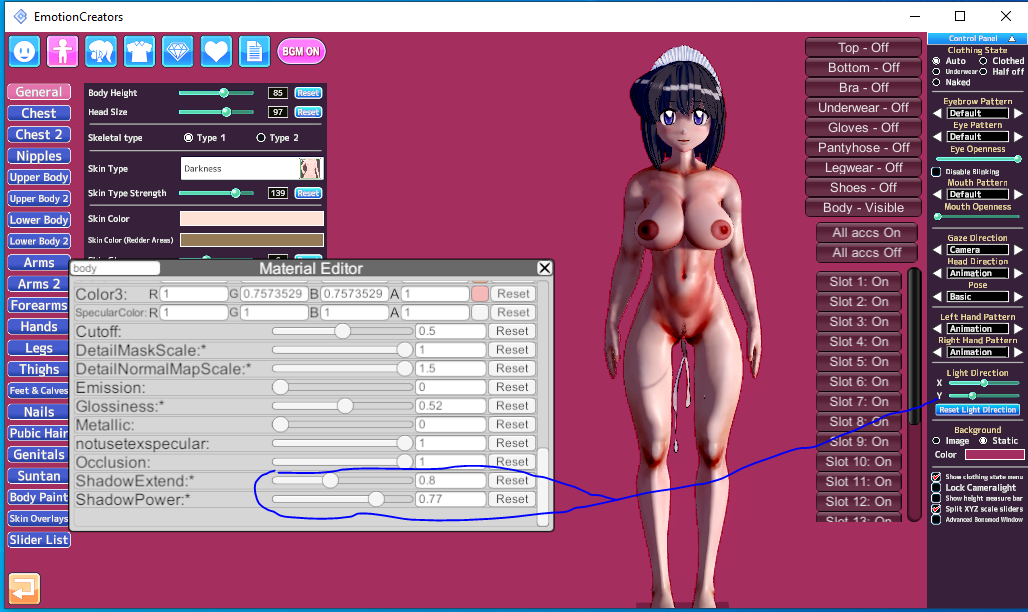
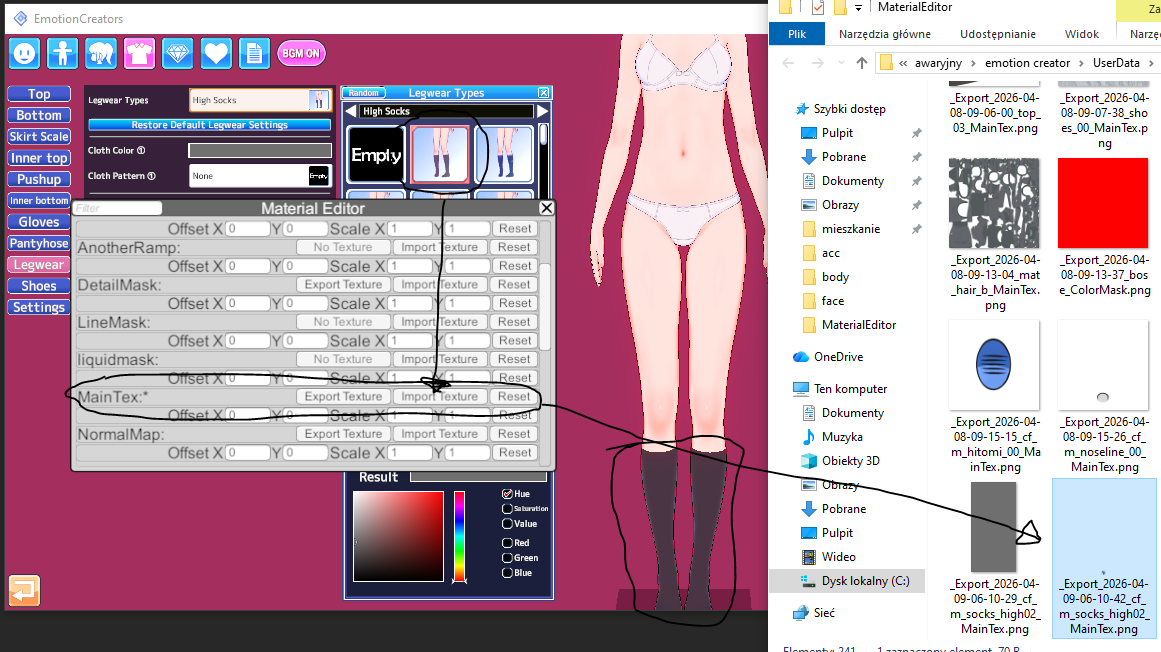
1)on cloth, go to material editor>export Main tex> open via windows photo editor> resize the resolution to ur liking(not less that 720x720)> import the texture back to main tex. The difference on color wont be seen but if the clothes have some design and lines texture it will be zaggered
2)About Hairs, They have high texture on Alpha Mask> do same process as the clothing
3) There are other mask too, Detail mask, normal map etc etc... dont touch that i suggest.....
Here Check this few Lowered Texture card from MogelatteRIO
https://gofile.io/d/KWnvir Note: 1) Don't remove the alpha mask on hairs, it will destroy the hair visual.
2) Always number the image u export same as the accessory slot no of the one u r toggling with so that u wont mismatch the alpha mask
3) If u delete the detail and normal mask from body and face, suggest resetting the shader to normal
Almost, but not entirely.
First and foremost, it all depends on the asset and its thresholds on the UV map.
For example, sometime clothing assets from SuguP are constructed even on a few pixels
Each asset has different pixel thresholds.
One might have 2k, another 512, another 1024, another 256, etc.
This is an individual matter.
You adjust the size to whatever parameters allow you without losing detail.
Relative, dependent, on the author of the orginal asset.
Becaus even pixel sizes that are too high can result in loss of detail. For example, YueFengYu's mods from Date A Live implement 8k, which makes details blurry/pixelated. 1k/2k are the appropriate settings.
I wouldn't suggest not messing with the detail mask normalmap normaldetailmap color mask, etc, it also affects many factors, such as changing details or simulating, for example, cellulite on the body.
Especially if your example is the projects from that idiot moegelerattio (this guy has no skill, puts 4k everywhere, and creates a Frankenstein without optimization, he doesn't know any fundamental knowledge).
For example, in all the hair assets on his cards, you can reduce the color mask to 1x1-8x8-64x64 pixels
and the detail mask to 64x64-256x256 pixels
(now imagine if 40x hair elements have implemented 512 to 2048 pixels, when they don't have to, or even imported 4k).
The overlay size is also relative.
It depends on what you want to achieve.
If the overlay is a only solid color, you can even use 1x1 pixels.
For excampe:
orginal
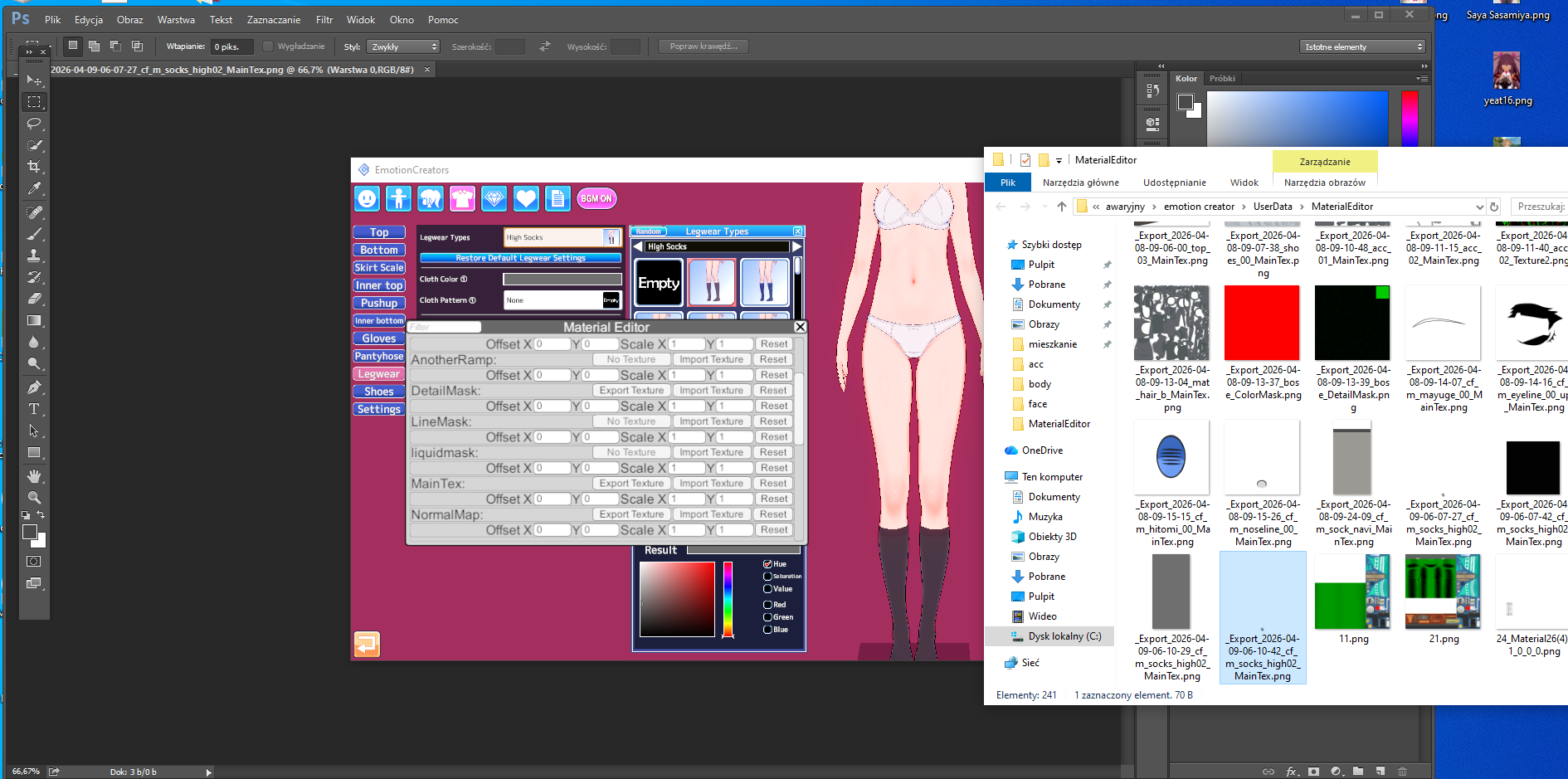
With 1x1 pixels:
You're also spreading false myths about alpha mask.
You're prioritizing MainTex, and any other influence is the shader type, plugin.
Alpha mask is rarely required for interference.
It is mainly used in situations where white lines remain in the perimeter when remodeling an asset.
More often than not, people overuse this feature.
And what's worse, alpha mask can have different thresholds than maintex.
This sometimes requires larger dimensions than maintex.
You can also use the Overlay plugin instead of MaterialEditor.
For example, on clothing.
It's also worth highlighting situations in which we remodel assets/or we use the on off function.
For example, some hair.
Let's assume an asset has four separate fields in the material editor for modifying overlays.(like a 4x spot for maintex etc)
For example, you're only interested in one of these four, because after remodeling, you won't see the others, becaus simply turn these elements off with the on/off option in the editor.
Then, in these redundant fields, you import a 1x1 overlay of empty pixels wherever something is implemented.
This also impacts optimization because subprocesses from the sum of these pixels continue to consume them in the background.
Especially since sometimes these separate fields consume +10k pixels per asset.
Anyway
I've been creating mods using Photoshop for many years, and I can tell you from personal experience that most of the projects from people in the koikatsu community need at least some fixing.
And at last little offtop.
It's also worth highlighting a fundamental mistake that people sometimes overuse in the character creator.
Be careful when using hair gloss.
Some people might use dozens of hair elements and apply shine to each one when it's clearly unnecessary.
We only use it on the elements we want to achieve the desired effect.
Because each hair gloss automatically has at least 1024 pixels,
1k per separated area in the material editor, sometimes a single asset has 4x more spot for it, so you're already at 4k.
Also, if someone can't utilize the potential of xiukmi/kkuts shaders, they shouldn't use them. Some people use these shaders and achieve an effect that's as if it were a base shader, injecting it into every possible spot. This is irrational, especially since these shaders consume quite a lot of subprocesses.
Even the smallest thing can significantly impact optimization and weight, and there are tons of relative ones.
For example, here are Kuzon's cards (I like his mods and possible heads, but not the body).
His cards have thresholds from 40-100mb.
Now, go to the body material editor and delete all the additional copied elements (it's just a tattoo).
Save again and compare the weight.
(by the way, I don't know why there's so much of it here, but looking at the difference in the overlays, I guess it's for animating in the studio, via some plugin.)
If you have already downloaded the mod, you don't have to download it again, I haven't updated it. Mainly the costumes and face shape have b

www.pixiv.net






#47,579