H
hambuger
Senior Member

2024/11/24(Sponsor Only)|Harada|pixivFANBOX
クリエイターの創作活動を支えるファンコミュニティ「pixivFANBOX」
 harada4780.fanbox.cc
  harada4780.fanbox.cc
If that one doesn't work, another possibility is this behind the paywall: https://www.fanbox.cc/@wssb/posts/8499669any1 have this mod?


It works. Thanks a lot!!Try this: https://zaako.now.cc/s/rDzSb
If that one doesn't work, another possibility is this behind the paywall: https://www.fanbox.cc/@wssb/posts/8499669
撞
How to lock to penis, add bones, parents item?The easiest method is to add in a penis object with dynamic bones. Penis7 is usually the go-to as it has the most dynamic bones available. From there, position these in the correct spots on the characters and then parent them to the "Penis" subsection. After this, left click on the KKPE button and then click "options". Adjust "adv mode height" and "adv mode width" so the sliders are a bit larger than their defaults.
Next, add a dynamic bone collider to the scene. You'll want to move this to the spot you want to target the dick to, and parent it to the character or object appropriately.
Select the bone collider, then right click the KKPE icon to open the bone collider editor. Configure the bone collder to "all off", and set it to "inside". Now, you can scroll through the available bones in the bone collider editor. This will show you EVERY dynamic bone in the scene, so that's things like hair, skirts, clothing items, BetterPenetration bones, etc. We adjusted the adv mode height and width earlier because otherwise this window is too damn small to work with.
Scroll through until you see your penis7 object, and select Penis00, Penis01, Penis03, Penis02, and Penis01. These are the most frequently used bones, but certain orientations of the penis object and desired "angle of attack" may require you to noodle around with which bones to use for your particular use case. Whatever you bubble in is going to be a bone effected by that particular collider. After all of this, you will have to tweak the height, radius, position, and rotation of the bone collider to fine-tune the penetration so it looks right or is actually hitting the right spot.
It sounds complicated but it really isn't that difficult. It becomes tedious when you are dealing with more than one dick and more than one bone collider, as you have to keep track of which collider is for which penis object.
[Evaan.StreetFighter]I am sorry but there are too many missing mods, any guy have them: [Garyux.Morrian+Lilithmod]
[sadassetsport.mod]
[Dham.HamPorts-clothing]
[Evaan.StreetFighter]
[Apuri.Slot.Chaged]
[aa1-f22l-edit]
[KRM.bluearchives.asahinapina]

I think those interested in this, we need a video guide on this. I don't know how you learned, but if you find something like this, please, we would be very grateful if you share it here, I would like to know how to move the buttocks of the girls manually. I understand that it is similar to what you explain, but beyond that, I have no idea how to do it. LolThe easiest method is to add in a penis object with dynamic bones. Penis7 is usually the go-to as it has the most dynamic bones available. From there, position these in the correct spots on the characters and then parent them to the "Penis" subsection. After this, left click on the KKPE button and then click "options". Adjust "adv mode height" and "adv mode width" so the sliders are a bit larger than their defaults.
Next, add a dynamic bone collider to the scene. You'll want to move this to the spot you want to target the dick to, and parent it to the character or object appropriately.
Select the bone collider, then right click the KKPE icon to open the bone collider editor. Configure the bone collder to "all off", and set it to "inside". Now, you can scroll through the available bones in the bone collider editor. This will show you EVERY dynamic bone in the scene, so that's things like hair, skirts, clothing items, BetterPenetration bones, etc. We adjusted the adv mode height and width earlier because otherwise this window is too damn small to work with.
Scroll through until you see your penis7 object, and select Penis00, Penis01, Penis03, Penis02, and Penis01. These are the most frequently used bones, but certain orientations of the penis object and desired "angle of attack" may require you to noodle around with which bones to use for your particular use case. Whatever you bubble in is going to be a bone effected by that particular collider. After all of this, you will have to tweak the height, radius, position, and rotation of the bone collider to fine-tune the penetration so it looks right or is actually hitting the right spot.
It sounds complicated but it really isn't that difficult. It becomes tedious when you are dealing with more than one dick and more than one bone collider, as you have to keep track of which collider is for which penis object.

I do with a modified Hilichurl instead of a dudedoes anyone have this scene?2024/11/24(Sponsor Only)|Harada|pixivFANBOX
クリエイターの創作活動を支えるファンコミュニティ「pixivFANBOX」
bumping 4 This Harada Scene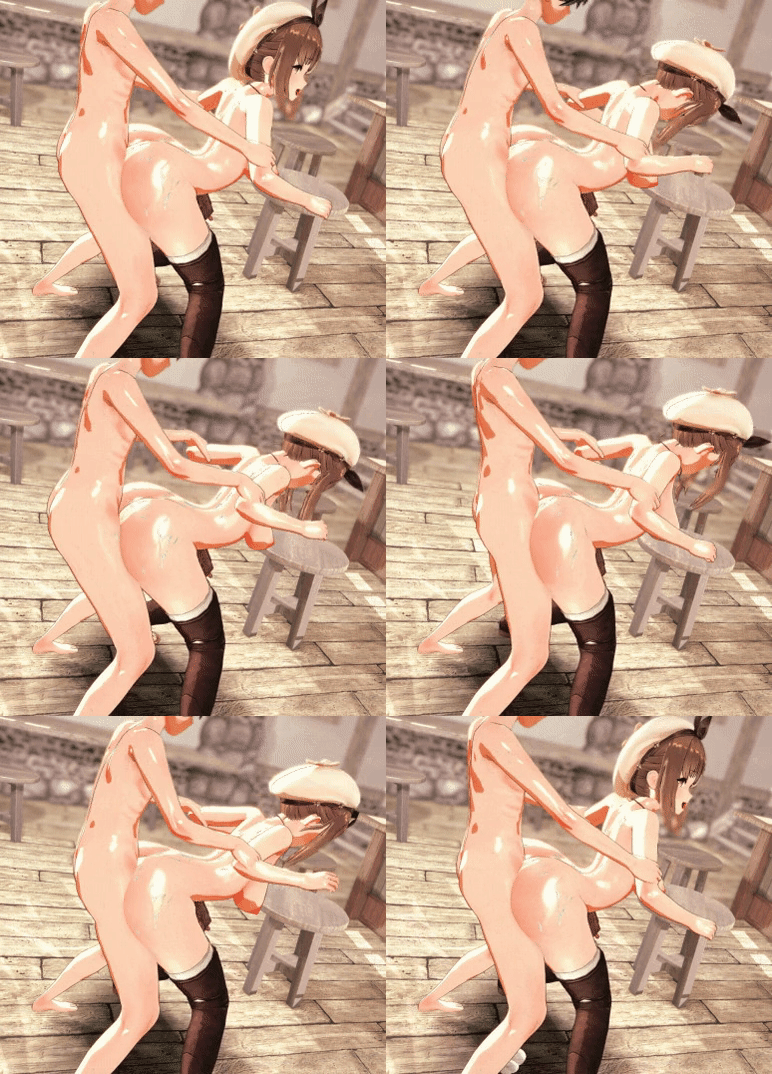
Reisalin Stout Harada SD
https://harada4780.fanbox.cc/posts/8965206
Anyone has this Scene Data since i was dumb enough not to renew my fanbox plan.
bumpCould someone please share the Dream Seeker headmod made by nyako?
Thank you !

How to lock to penis, add bones, parents item?
I think those interested in this, we need a video guide on this. I don't know how you learned, but if you find something like this, please, we would be very grateful if you share it here, I would like to know how to move the buttocks of the girls manually. I understand that it is similar to what you explain, but beyond that, I have no idea how to do it. Lol
bumping 4 This Harada Scene

 gofile.io
someone just download this and post it here; cant fucking connect it starts to annoy the hell out of me lolcan someone post hoksi character card viper ? would get it from isekai, but the site is unreachable for me gg

this one?someone just download this and post it here; cant fucking connect it starts to annoy the hell out of me lol
yes, love you and thanks!
Thanks But Do you have not modified card?I do with a modified Hilichurl instead of a dude

Try using a VPN if you have one. I'm using one and it works just fine. Turn it of if you want to register tho.someone just download this and post it here; cant fucking connect it starts to annoy the hell out of me lol

>literally 1984Try using a VPN if you have one. I'm using one and it works just fine. Turn it of if you want to register tho.
i dont think yonkairei can even use the site at all, CatVibesTry using a VPN if you have one. I'm using one and it works just fine. Turn it of if you want to register tho.
Anyone has these mightymeat scenes?
https://www.pixiv.net/en/artworks/124428111
https://www.pixiv.net/en/artworks/121368835
https://www.pixiv.net/en/artworks/123157659
Thanks but i modified the scene and didn't make a spare so sorry aboot thatThanks But Do you have not modified card?
your request card :

also, some of your past request i thinksomeone just download this and post it here; cant fucking connect it starts to annoy the hell out of me lol

Does anyone have this scene data and Video from Tachumi?
I think the data was from October or November.
gofile.io how abouti do

 www.pixiv.net www.pixiv.net
 I've learned most of this by extensively dissecting existing scenes to figure out how they work, as very rarely is it possible to just swap a character or change one singular thing. Most of the time these animations break quite extensively when doing this, so they must be tweaked or altered to make them look as good as the original. I've never made my own animations, but I've extensively modified tons of them, sometimes changing big parts of how the animations work, even spliced them together to create longer animations and such. I may work on a simple video to demonstrate how to do some easy things. Really, knowing how to parent in both workspace and adjust existing nodeconstraints and how to use bone colliders can get you pretty far.
THX!!!Gofile - Cloud Storage Made Simple
Secure, fast and free cloud storage solution. Upload and share files instantly.
That would be great.
I have learned a couple of things just as you say you did, but they are very basic things I guess, just like you, mostly to get my characters to change them to those of the original scene, match in the best way, But there are certain things that I just do not get, one of them is that how to manipulate the buttocks of the girls at my will, I have also seen that some manage to make larger certain body parts.. for example the thighs, I do not know how they manage to do this either ...
What I would like to be able to do are my own scenes, but, without having I think a guide where they explain how to do it, I feel it is very difficult.
Thanks in advance, if you ever make a video about this.
No, Since Futa is a big nope.avi for me.how about
[R-18]お燐と霊夢
https://x.com/Mightyniku https://baraag.net/@mightyniku FULL > https://x.com/Mightyniku/status/1862134479080538293 --------------------[R-18]もみかげ
FULL > https://x.com/Mightyniku/status/1864309480655344096 -------------------------------------------------------- シーン + 高画質 60FPS / Scen

Here!Does anyone have these scenes from Giddora?


gofile.io Ass loopThere's a couple of ways to do that but ultimately it's manipulating bones in KKPE advanced mode. To make cheeks clap, you can just open KKPE advanced mode on your character, go to bones, and search "siri". This will show you all buttcheek bones. Select one of the bones and tick "symmetrical", then click between the position, rotation, and scale tabs and tweak some of the values in each to see what they do.
To animate this, you can open timeline and scroll through the left side list until you see a section for KKPE. Should see interopables for things like Bone Scale, Bone Position, Bone Rotation, etc. Click on the bone you wish to animate in KKPE, then shift+click on the timeline rows for Bone Position, Bone Rotation, and Bone Scale.
This will add active keyframes for each component of that specific bone into Timeline. To animate this, all you'd have to do is scrub some amount of time ahead, tweak the cheeks to your desired characteristics in KKPE bone editor, then shift+click the rows once more in Timeline to create new keyframes with the new position/rotation/scale data.
I may do a video showing how I rebuild a scene to fit with different characters and outfits. The tricky part with doing this is I'd have to do an awful lot of editing so you can clearly see what I'm clicking on, what keyboard shortcuts I'm using, etc. Another issue is many times it's just trial-and-error in which I am attempting to find the best bone to tweak for a specific desired look, so it's a lot of back and forth and undoing and redoing, lol. I'm currently rebuilding one from ZeroKK and nearly got it finished, but I'll try another and document what I'm doing.